Digital signature certificate
A qualified electronic signature for legally binding agreements — the strongest level of assurance for contracts, acts and official documents.
Prepare a contract from a template or with the d8n assistant, sign it with legal force, and send it to your counterparties by email. They sign on any device, with no account — and every step stays inside your private, audited contour.
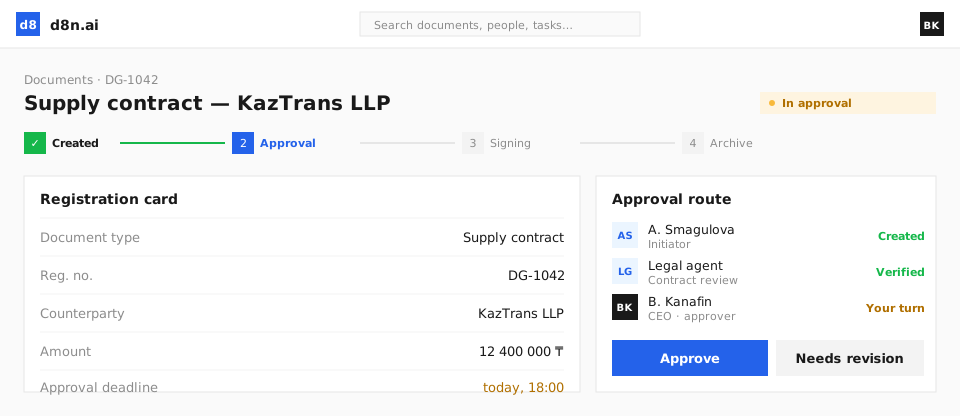
Paper turns a five-minute decision into a multi-day errand. eSignature removes the courier, the printer and the lost-in-a-drawer original.
What used to take days of printing, couriers and back-and-forth now closes in a few minutes — from anywhere.
No printing, postage, courier or physical archiving. The savings compound across every agreement your company signs.
You and your counterparties sign from a laptop or phone, in the office or abroad — nothing to install.
Identity and intent are captured at signing and the result is tamper-evident, so the signed document holds up.
See exactly where each document is, who has opened it and who has signed — no more chasing by phone.
Every signed original lives in a searchable electronic archive, and anyone can verify authenticity by its document ID.
Different documents and different counterparties need different levels of assurance. d8n supports them all in one flow. Legal significance depends on jurisdiction, document type and signature method — we configure the right flow for you during setup.
A qualified electronic signature for legally binding agreements — the strongest level of assurance for contracts, acts and official documents.
Sign straight from a phone by scanning a QR code with the national e-ID app — no certificate file to manage.
Lightweight signing for high-volume, lower-risk documents — the signer confirms with a one-time code sent by SMS.
Sign with partners abroad under recognised international e-signature standards, so cross-border deals close the same day.
A document is signature-ready in one click — built from a standard template, or drafted for you by the d8n assistant.
Standardise your most-used agreements — contracts, NDAs, acts, invoices and orders. Fields and signature blocks are pre-placed, and data is pulled in automatically, so wording and compliance are consistent every time.
Describe what you need and the assistant drafts the document, recognises its type, places the signature and date fields and suggests the right recipients — ready for your review. You stay in control: review, then confirm.
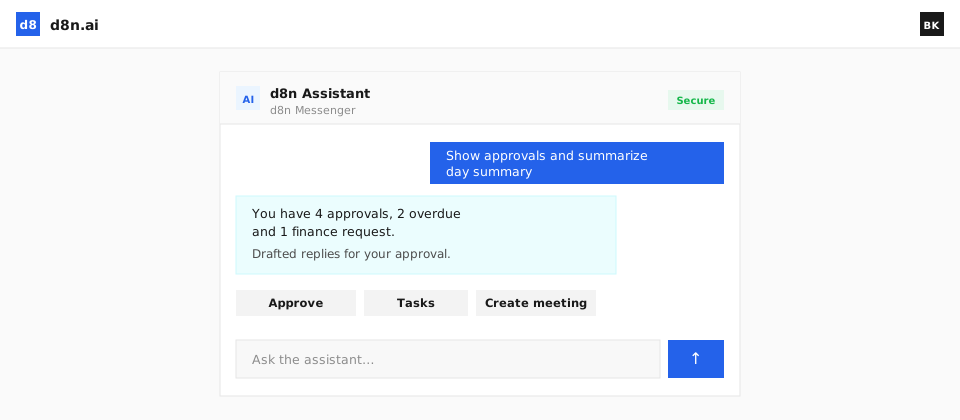
Your counterparty doesn’t need an account, a licence or any setup. They just sign.
Send the document straight to a partner by email, a secure link or a QR code. They open it instantly — no registration.
Counterparties sign on a phone, tablet or computer, wherever they are, with the method that suits the document.
Once signed, the document returns to your workspace, is filed in the right place and is ready for the next step.
Onboarding partners, dealer agreements, consents, annexes — generate a personalised copy for every counterparty from a single template and send them all in one run.
Exchange and sign documents directly with companies in other countries, under recognised international standards — so distance and borders stop being a reason for paper.
Send and receive signed documents with counterparties abroad without intermediaries or printing.
International e-signature standards keep cross-border agreements valid and enforceable.
Domestic and international agreements live side by side, with the same control and audit trail.
Nothing stalls silently, and nothing gets lost.
Track each document as sent, viewed and signed, with automatic reminders that keep agreements moving.
Every action on a document is logged, giving you a defensible record of who did what and when.
Anyone can confirm a signed document is authentic and unaltered using its unique document ID.
eSignature runs inside the same governed, private environment as the rest of d8n.
Documents and signatures stay within your private deployment, with on-premise options where data residency is required.
Data is encrypted and tenant-isolated, so your agreements are never mixed with anyone else’s.
Roles, permissions and full audit keep signing under the same governance as every other process.
Start from a template or ask the d8n assistant to draft the document.
Choose recipients, the signing order and how each one signs.
Deliver by email, link or QR — your counterparty signs on any device.
The signed document is filed, archived and verifiable by its ID.
Yes. d8n supports a legally significant electronic signature, with the signer’s identity and intent captured and a tamper-evident result. Supported signature standards depend on your country and the type of document — we confirm the right approach for your jurisdiction during setup.
Yes. You send the document by email, link or QR, and your counterparty opens it and signs on a phone, tablet or computer — no d8n account required. The signed copy returns to your workspace automatically.
Most business agreements — contracts, NDAs, acts, invoices and orders. Each can be prepared from a reusable template or drafted by the d8n assistant, with the signature and date fields placed for you.
Yes. d8n supports cross-border document exchange and signing under recognised international standards, so you can close agreements with foreign counterparties without printing or couriers.
In your private contour, with a complete audit trail for every signature. On-premise deployment is available where data residency is required, so signed originals never have to leave your infrastructure.
See eSignature inside the full d8n workspace — prepared by AI, signed with legal force, sent to anyone.