One governed file store with AI search
A single corporate file store with meaning-based AI search — the end of shadow drives, with versioning, granular sharing and an assistant that finds files by meaning.
About this module
Disk is a single corporate file store that replaces the “shadow drives” scattered across personal clouds and laptops. Files are organised into folders with version history and granular permissions; you can share inside the company, between companies or by link — all of it under audit, so you always know who has access to each document.
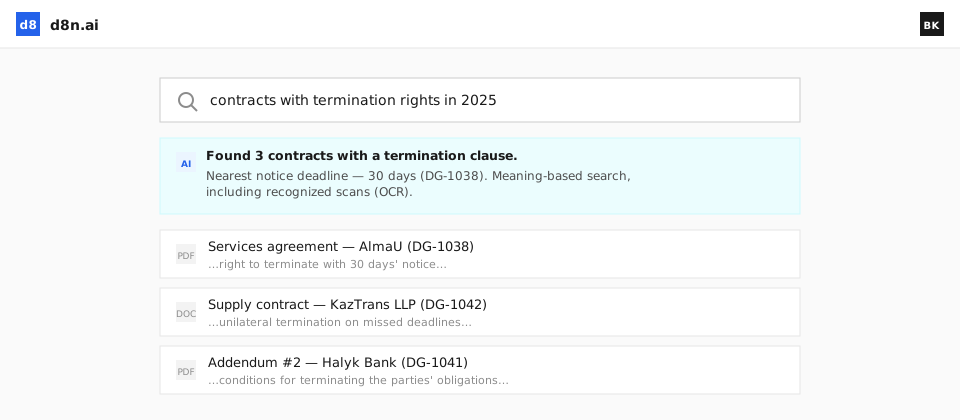
The key difference is meaning-based search rather than file-name search. Describe what you need and the assistant finds it even inside scans (via OCR), then summarises the document or extracts data from it on request. Uploads are tagged automatically, and existing cloud drives can be connected to bring every file into one findable place. Combined with the rest of the platform, Disk becomes the reliable source of materials for documents, meetings and AI agents.
Where it slows you down
Shadow drives everywhere
Files scatter across personal clouds and laptops, outside any control.
Can’t find anything
Keyword search misses the file you actually need.
Ungoverned sharing
Links and copies spread with no audit of who has access.
What you can do
One place for corporate files, where finding, sharing and controlling them is finally simple.
Folders & versioning
Organise files with version history and granular permissions.
Semantic search
Find files by meaning, including OCR across scanned documents.
Share with control
Share inside the company, between companies or by link — all audited.
Sync existing drives
Connect your current cloud storage and bring files together.
Auto-tagging
Uploads are tagged automatically for easy retrieval.
Summarise & extract
Ask the assistant to summarise a document or pull out the data.
See d8n in action
A short demo: the agent runs a real process inside d8n — from request to result.
Find anything by meaning
Describe what you need and the assistant finds it — even inside scanned documents — then summarises it or extracts the data on request.
How it works
Upload or sync
Bring files in or connect your existing cloud drives.
Auto-organised
Uploads are tagged and versioned automatically.
Find by meaning
Search by what the file is about, not just its name.
Share & audit
Share with control, with every access logged.
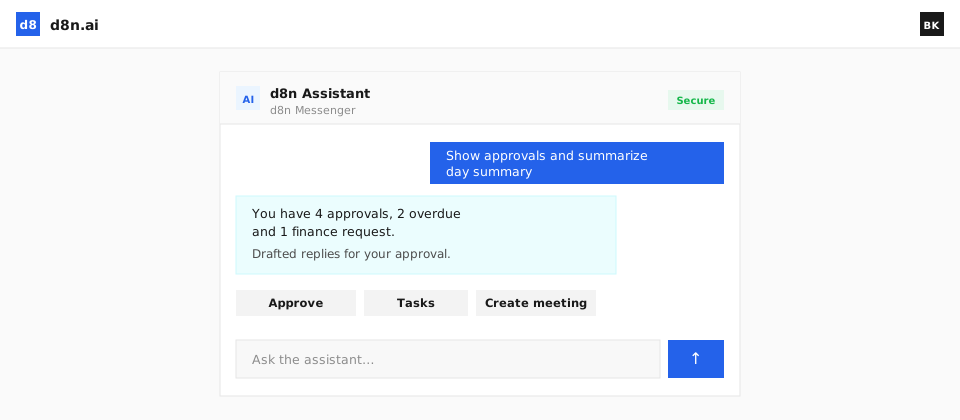
AI agent: The Assistant finds files by meaning, auto-tags uploads and summarises or extracts data on request.
FAQ
Does it replace our cloud drives?
It can be your governed file store, or sync with existing drives so everything is searchable in one place.
Can it search inside scans?
Yes — OCR makes scanned documents fully searchable by meaning.
How is sharing controlled?
Granular permissions and audited links mean you always know who has access.
Can the assistant work with files?
Yes — it finds files by meaning, summarises them and extracts data on request.
Retire the shadow drives
See one governed file store with AI search that actually finds things.